Secure Web Hosting with Nginx Reverse Proxy
Overview
I implemented a reverse proxy to manage and secure multiple web services behind a single public IP address. This setup allows me to host various projects—including a gaming application and professional portfolios—while centralizing SSL/TLS encryption and protecting backend server identities.
Architecture
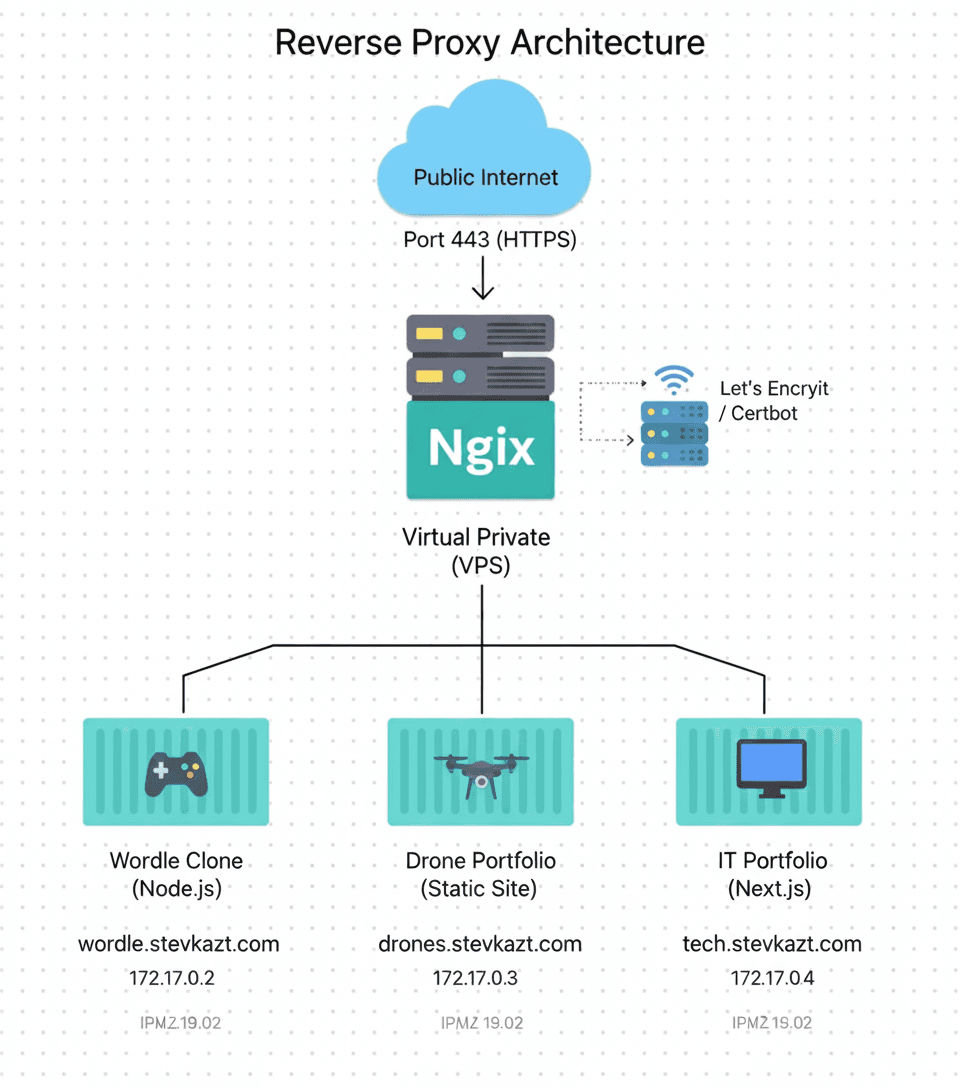
The reverse proxy acts as a traffic controller, directing incoming requests to the appropriate internal service based on the subdomain:
- wordtron.stevkazt.com: Routes to the Wordle clone game container.
- drones.stevkazt.com: Directs traffic to my Drone Portfolio site.
- tech.stevkazt.com: Serves my technical IT portfolio.
Implementation
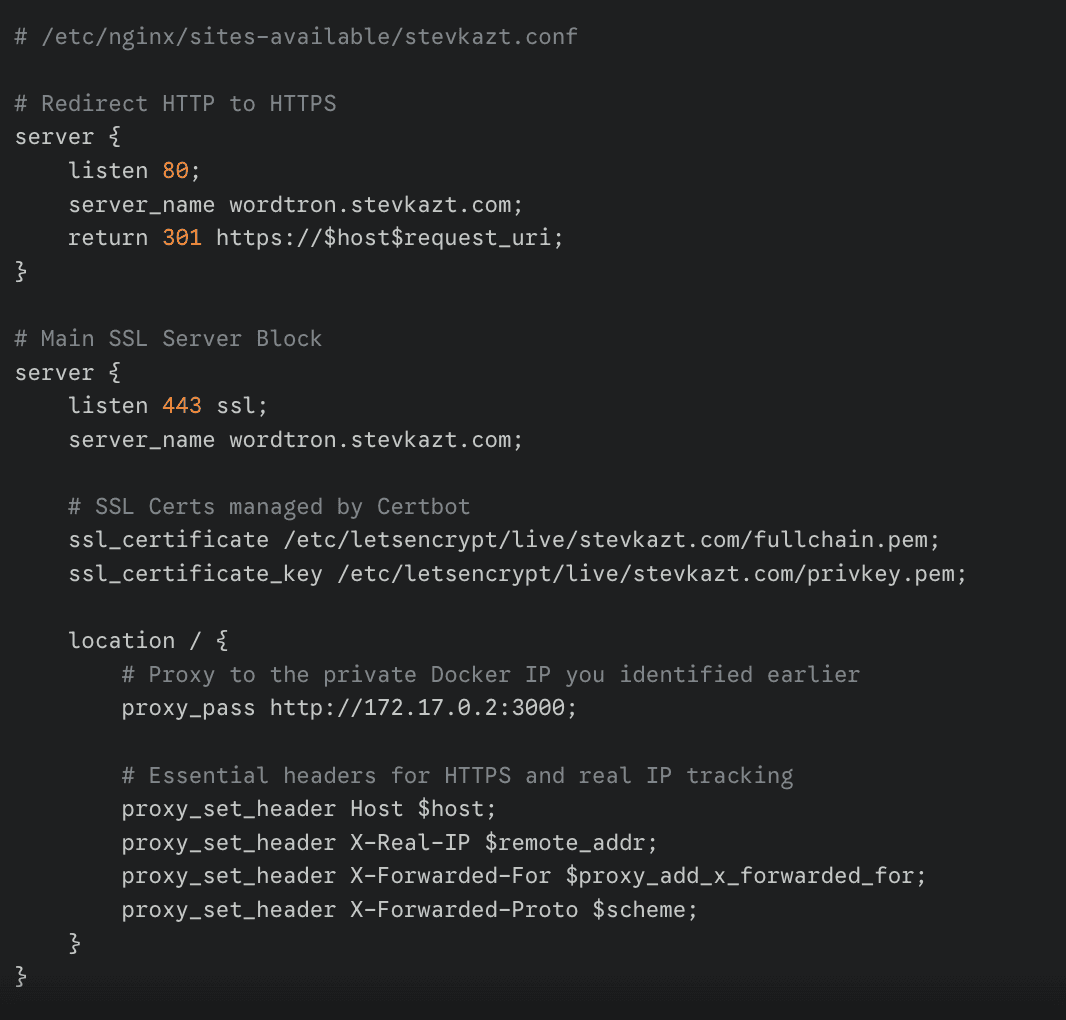
I utilized a VPS running Linux and configured Nginx as the primary entry point. Each service is isolated, and Nginx handles the proxy_passdirectives. To ensure security, I integrated Let's Encrypt to provide automatic HTTPS across all subdomains.
Troubleshooting
One of the most challenging hurdles was a connectivity issue where I couldn't access the subdomains from my local machine, even though the services appeared to be running correctly.
I spent significant time auditing the entire stack:
- Verified Docker container status and internal port mapping.
- Validated Nginx syntax and virtual host blocks using
nginx -t. - Checked firewall rules and local
/etc/hostsentries.
The root cause turned out to be browser-level security enforcement. Modern browsers (like Chrome and Brave) often refuse to load unencrypted HTTP sites for certain domains or cached HSTS settings. I resolved this by manually running Certbot to generate SSL certificates for each subdomainbefore attempting to load them. Once the Nginx blocks were listening on port 443 with valid certs, the browser immediatey allowed the connection.
Results
- Single IP management for multiple diverse applications.
- Full SSL/TLS encryption for all public-facing services.
- Enhanced security by masking internal IP addresses and ports.
Technologies Used
- Nginx / Nginx Proxy Manager
- Let's Encrypt (SSL/TLS)
- Virtual Private Server (VPS)
- Linux (Ubuntu)