Network-Attached Ad Blocking with Pi-hole
Overview
I deployed Pi-hole as a network attached DNS sinkhole to block ads and trackers at the DNS level, improving browsing quality and reducing unwanted traffic across all devices.
Architecture
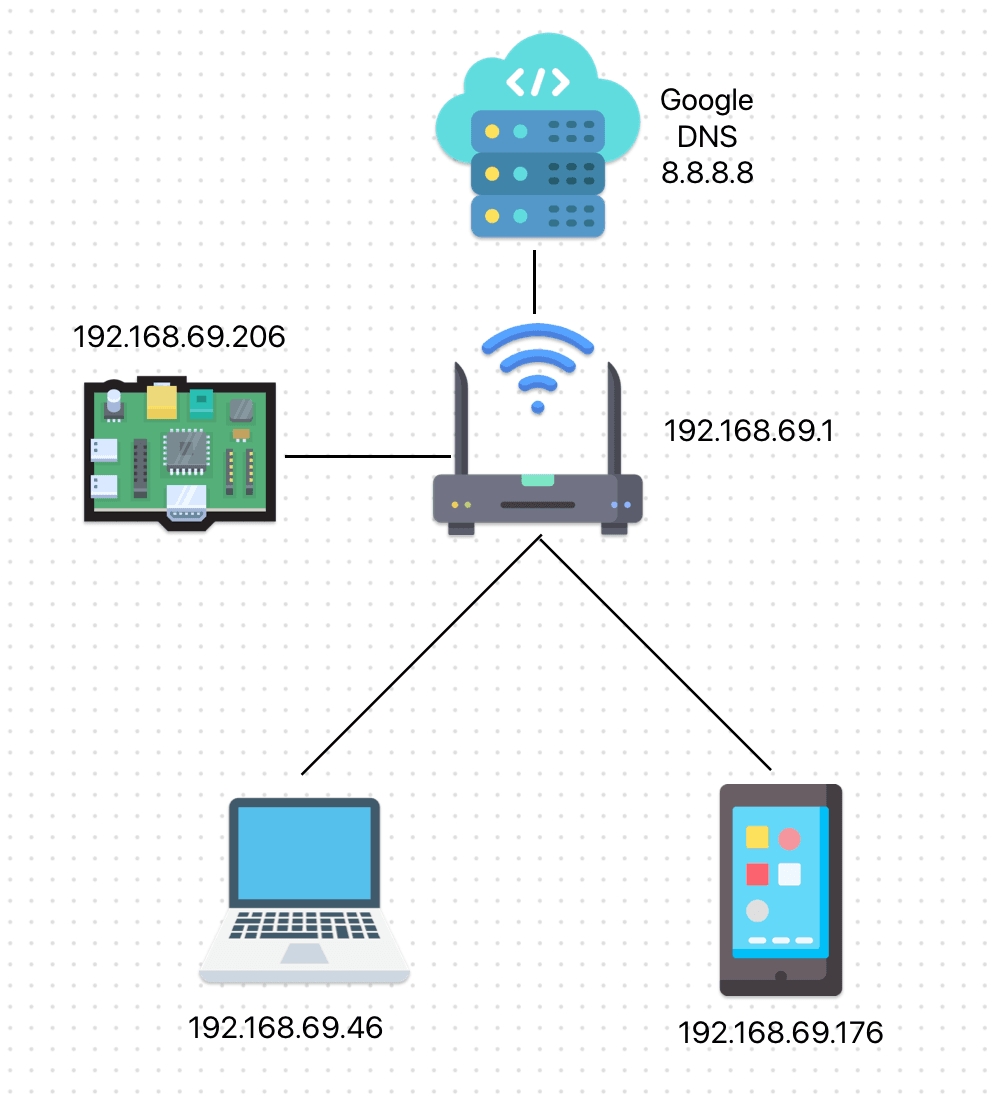
The Raspberry Pi is attached to a specific network segment instead of handling DNS requests for the entire network for the following reasons:
- To avoid inspecting DNS traffic from other network users (privacy considerations)
- Allow individual clients to opt into using the Pi-hole DNS
- Home routers often lack advanced DNS redirection capabilities
Implementation
After connecting the Raspberry Pi to the router via Ethernet, I identified the IP address assigned to it. The Pi-hole documentation emphasizes the importance of configuring a static IP address to ensure consistent DNS resolution. This was accomplished by modifying /etc/dhcpcd.conf.

Pi-hole was then installed using the official installation script:curl -sSL https://install.pi-hole.net | bash. After answering a few configuration prompts, the service was ready for use.
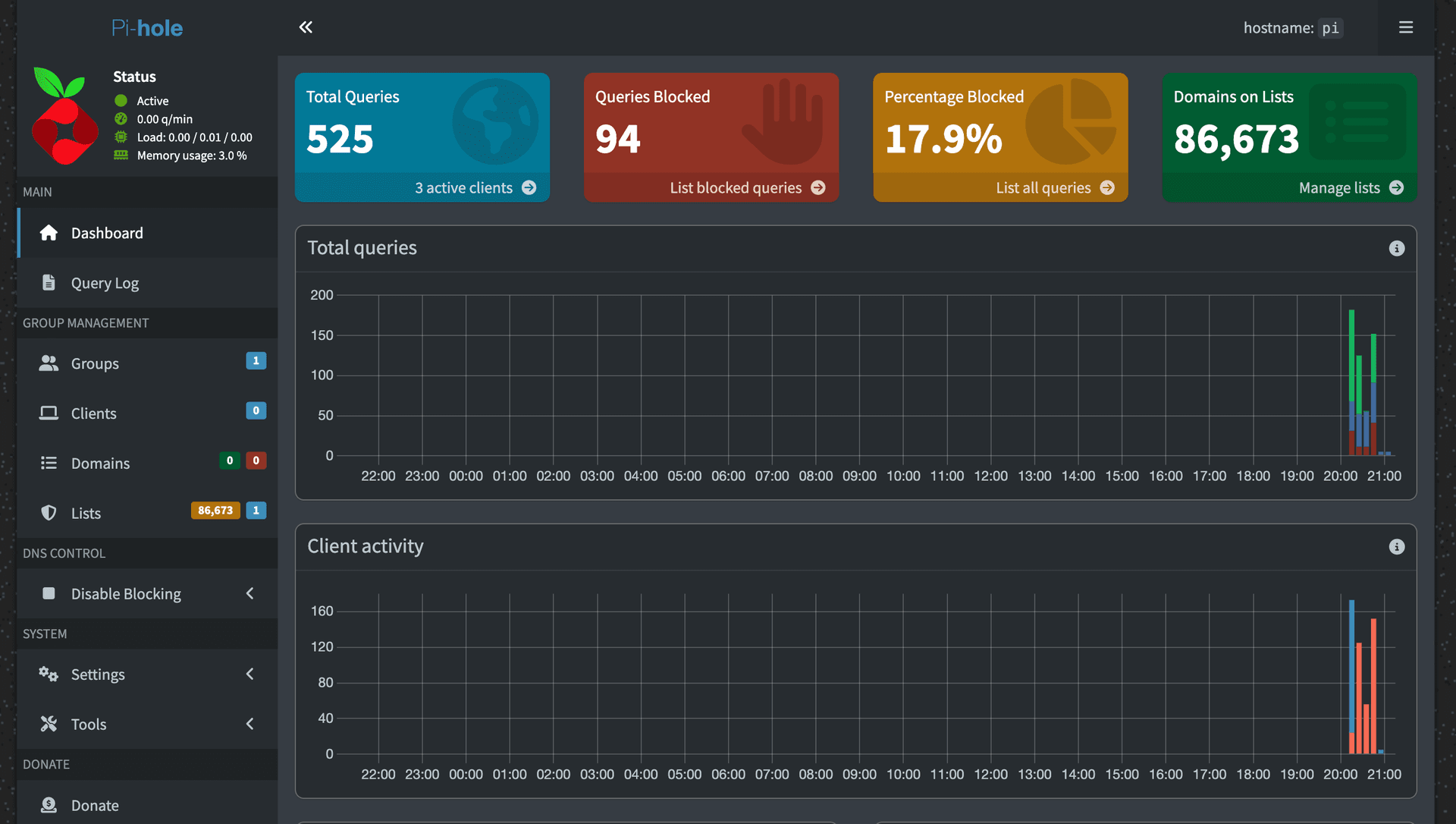
At this stage, client devices were configured to use the Pi-hole instance as their DNS resolver.
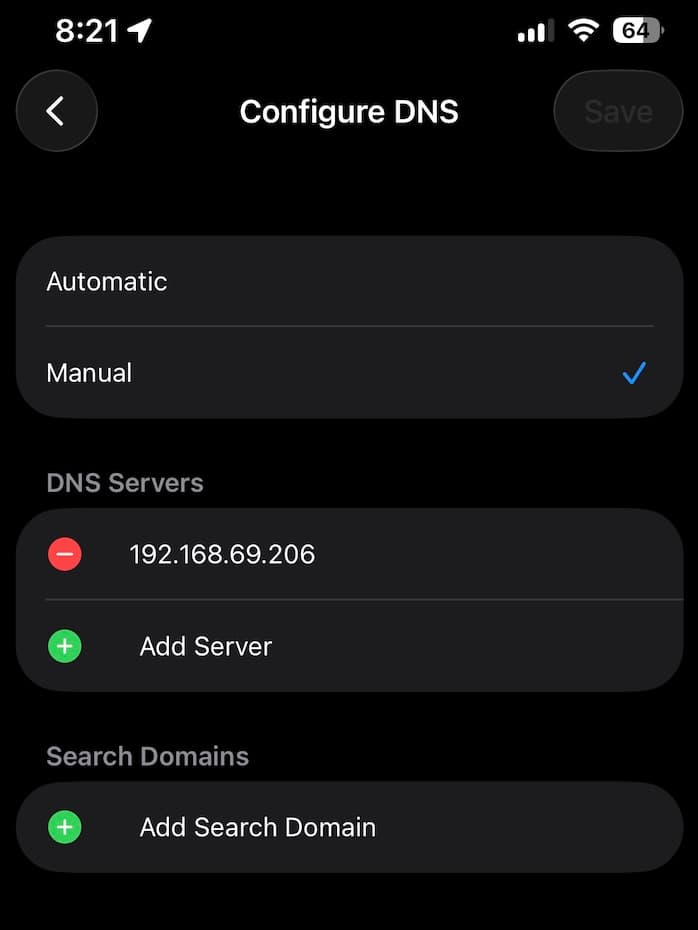
Once configured, devices resolve DNS queries through Pi-hole, enabling network-level blocking of ads and trackers without requiring client-side software.
Troubleshooting
At first I didn't really get any ad blocking in my laptop, after looking into it I found out I needed to update the list the piHole was using to block websites, this is done with another simple command, which solved the issue:sudo pihole -g
Results
- Network-wide ad and tracker blocking without browser extensions
- Reduced DNS requests to known tracking domains
- Improved browsing experience across mobile and desktop devices
Technologies Used
- Raspberry Pi
- Linux
- Pi-hole
- DNS / DHCP